01 — Online booking
Give clients a direct way to book.
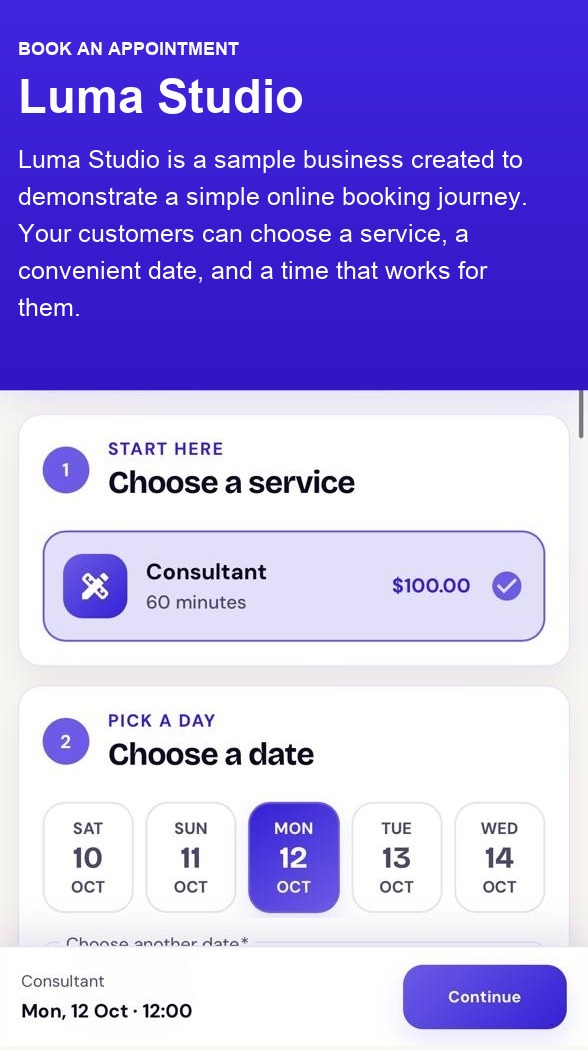
Share a public booking page where customers can choose a service, date, and available time.
For service businesses
Give clients a clear way to book while you keep services, availability, staff schedules, and appointments together.
Set up your services, share a booking page, and review the day from one workspace.
02 — Essentials
CalendarsPro gives service businesses a clear public booking experience and a practical place to manage the work behind it.
01 — Online booking
Share a public booking page where customers can choose a service, date, and available time.
02 — Availability
Set services and availability so the booking experience reflects the times your business can support.
03 — Calendar sync
Connect Google Calendar to bring confirmed bookings into the calendar you already use.
04 — Your brand
Use your business name, logo, colours, and booking link to give customers a recognisable place to book.
Start with your booking page
Create an account to set up services, availability, and a booking page for your business.
Get startedStart with free booking tools. Add WhatsApp booking updates with Lite or Pro.
Core booking tools to manage your appointments.
WhatsApp updates for a smaller booking volume.
More WhatsApp updates for a busier calendar.
Prices are in Malaysian ringgit (MYR). Paid plans are billed monthly.
Booking emails are included in all plans and use a shared sending pool across CalendarsPro merchants. Email availability is subject to the remaining shared daily and monthly limits; each merchant does not receive a separate email allowance.
Each delivered WhatsApp notification counts as one message, including confirmations, reminders, updates and cancellations. Allowances reset each billing cycle. Sending pauses when the allowance is used up.
Lite and Pro are coming soon. You can start with the Free plan today.